
Kromio.ai
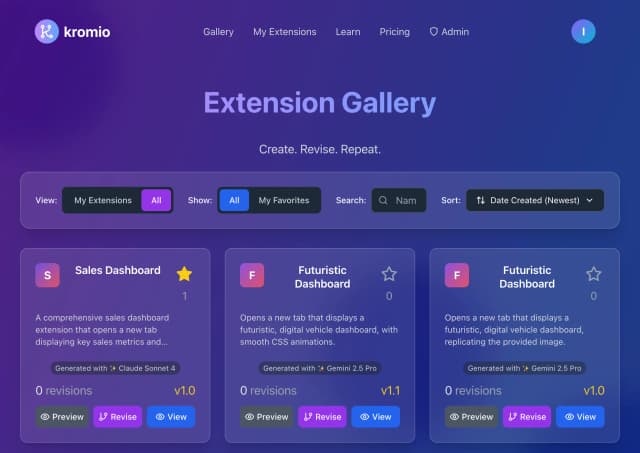
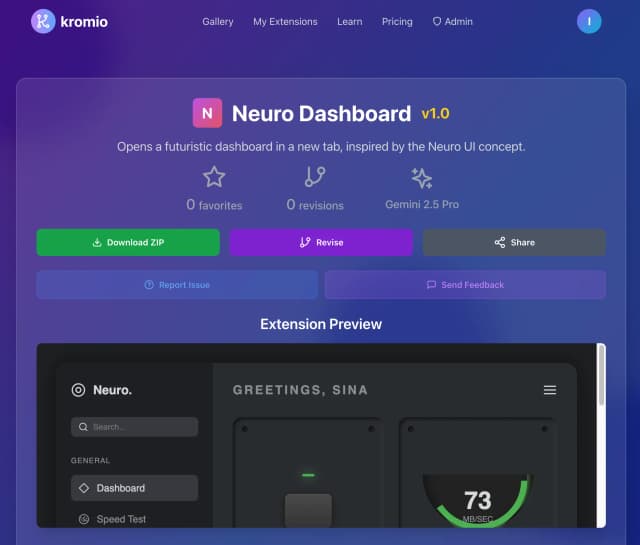
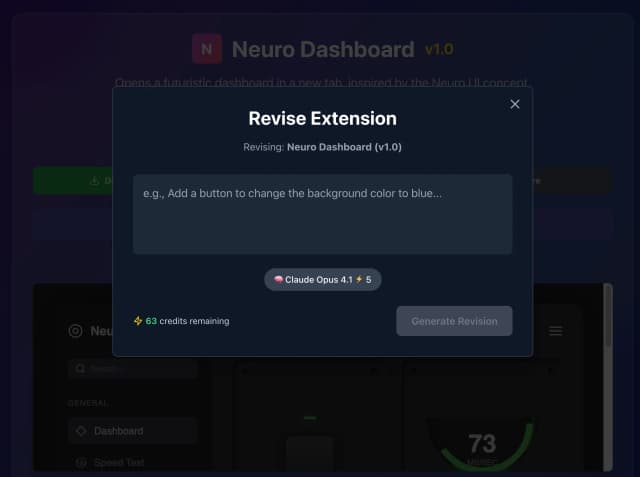
Kromio.ai is an innovative AI-powered platform designed to simplify and accelerate the creation of Chrome extensions. It enables users to build professional-grade browser extensions instantly without any coding knowledge. Leveraging advanced artificial intelligence, Kromio.ai generates, revises, and customizes Chrome extensions through an intuitive interface, making extension development accessible to developers and non-developers alike. The platform offers a variety of professional templates and a revision system to ensure the final product meets user requirements. With instant download capabilities, users can quickly deploy their extensions, streamlining the entire development lifecycle. Kromio.ai is ideal for individuals and businesses looking to enhance browser functionality, automate workflows, or deliver unique user experiences via Chrome extensions. By removing technical barriers, Kromio.ai empowers users to innovate faster and more efficiently in the browser extension space.
Share your honest experience with Kromio.ai
Website
www.kromio.aiCategory
Chrome ExtensionsTags

Gmail Notifier
Gmail Notifier is a lightweight and efficient browser extension designed to keep users instantly informed about new emails arriving in their Gmail inbox. By running seamlessly in the background, it monitors your Gmail account and provides real-time notifications whenever new messages are received, ensuring you never miss important communications. The extension offers a simple and user-friendly interface, making it easy to stay updated without constantly checking your inbox manually. Ideal for professionals, students, and anyone relying heavily on email, Gmail Notifier enhances productivity by delivering timely alerts directly to your desktop. It supports multiple Gmail accounts and integrates smoothly with popular browsers, providing customizable notification settings to suit individual preferences. With Gmail Notifier, managing your email becomes effortless, helping you stay organized and responsive throughout your day.

Fillr
Fillr AI is an innovative Chrome extension designed to streamline and automate the job application process. By leveraging advanced artificial intelligence, Fillr automatically fills out online job application forms with your personal and professional information, saving job seekers over four hours each week. This tool eliminates the repetitive and time-consuming task of manually entering data across multiple job portals, enabling users to apply to jobs with just one click. Compatible with popular browsers such as Chrome, Microsoft Edge, Brave, and Chromium, Fillr AI enhances productivity and efficiency for job seekers by simplifying form completion and reducing application errors. Its seamless integration and user-friendly interface make it an essential tool for anyone looking to accelerate their job search and improve their chances of landing their desired role quickly and effortlessly.

AgentCraft. Like Cursor, but for n8n
AgentCraft is an AI-powered workflow builder designed to accelerate automation creation within platforms like n8n and Zapier. Acting as a smart copilot, it enables users to build, visualize, and manage AI agent workflows effortlessly without requiring any coding skills. By integrating seamlessly with popular automation tools, AgentCraft boosts productivity by offering a 10x speed increase in designing complex automations. Its intuitive interface simplifies the process of connecting various services and orchestrating multi-step workflows, making it ideal for developers, automation enthusiasts, and businesses seeking to optimize their operational efficiency. With AgentCraft, users can harness AI to craft dynamic, intelligent automation agents that perform tasks autonomously, reducing manual effort and streamlining repetitive processes. The platform’s emphasis on ease-of-use combined with powerful AI capabilities positions it as a next-generation tool for workflow automation and AI agent management.

SideBench
SideBench is an all-in-one developer toolbox designed to live conveniently within the Chrome side panel, eliminating the need to switch between multiple tabs or websites for common developer tasks. It offers a comprehensive suite of tools including Base64 and URL encoding/decoding, hash and HMAC generation, cron expression helpers, regex testing, UUID generation (v4 and v7), QR code creation, color picking, JSON formatting, time and epoch conversion, and randomization utilities. All these tools operate fully offline, ensuring privacy and security with no network requests, trackers, or analytics. SideBench requires minimal permissions, only accessing the Chrome side panel and local storage for configuration, making it a lightweight yet powerful addition to any developer's workflow. Its unified user interface and instant accessibility from the Chrome side panel streamline productivity by consolidating essential dev utilities into one fast, private, and convenient extension.

Revise text browser extension
Revise text is a free AI-powered browser extension designed to enhance your writing effortlessly. It provides instant proofreading and grammar correction, helping users craft professional, clear, and engaging content across any website. With simple keyboard shortcuts and right-click menu options, users can quickly proofread or improve selected text or entire entries. The AI adapts to your writing style and the context of the webpage, offering personalized suggestions that improve tone, clarity, conciseness, and overall style. Ideal for content creators, professionals, students, and non-native speakers, Revise text seamlessly integrates into daily writing tasks without compromising privacy. The extension ensures user data safety by not storing or collecting personal information, with all processing done securely via OpenAI. Its free usage model includes a generous daily request limit, making advanced writing assistance accessible to everyone. Whether you are drafting emails, reports, essays, or social media posts, Revise text helps you communicate more effectively and confidently.

Linconex
Linconex is an AI-powered email automation platform designed to revolutionize how users manage their email communications. By leveraging intelligent summarization technology, Linconex condenses lengthy emails into concise summaries, saving users valuable time and enhancing productivity. The platform also enables users to create customizable email templates, streamlining repetitive messaging tasks and ensuring consistent communication. With a focus on ease of use, Linconex requires no password or complex email setup; users simply connect their accounts and start automating their workflows immediately. Ideal for professionals and businesses looking to optimize email handling, Linconex automates everything from summarizing incoming messages to generating templated responses, reducing manual effort and minimizing email overload. Its seamless integration and automation capabilities make it a powerful tool for improving communication efficiency and boosting overall productivity.