
ServerBuddy
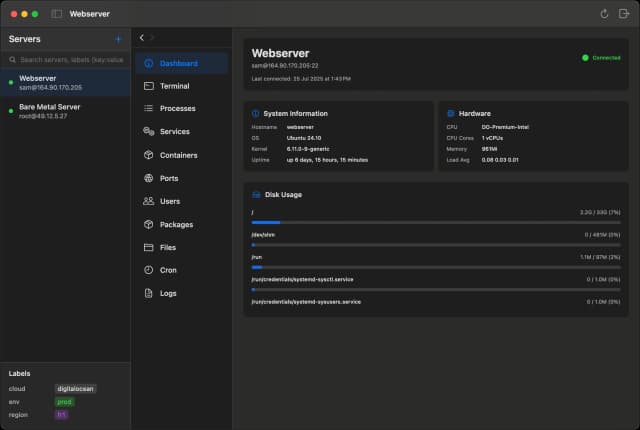
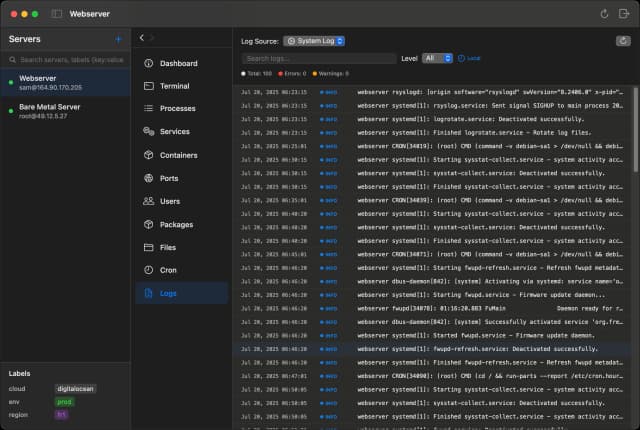
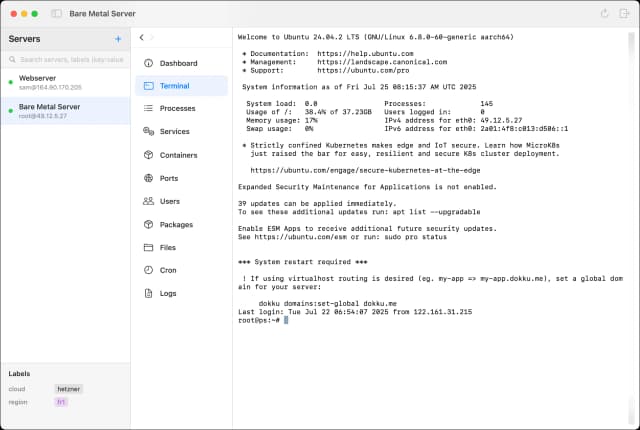
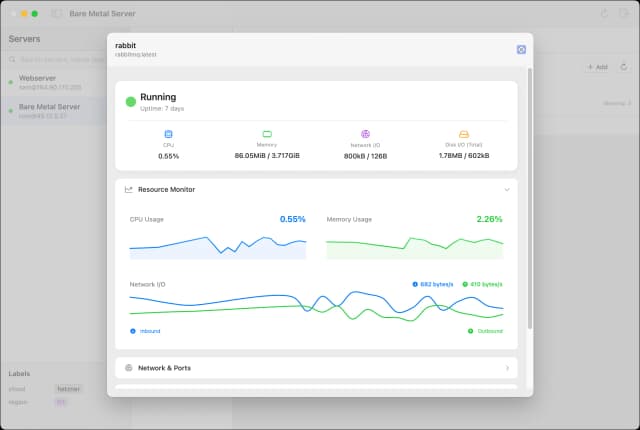
ServerBuddy is a macOS application designed to simplify Linux server management through an intuitive, user-friendly interface. It consolidates essential server administration tools into one cohesive platform, enabling users to monitor system stats such as CPU, memory, and disk usage with clear, beautiful charts. ServerBuddy offers a full-featured SSH terminal with syntax highlighting and multiple session support, making command-line access seamless. Users can manage running processes, control systemd services, and handle Docker containers, images, and networks without typing complex commands. The app also includes a finder-like file browser for easy navigation and editing of server files, a port viewer to monitor active connections, and user management tools to create and modify users and groups. Designed specifically for macOS 14 and later, ServerBuddy provides a one-time purchase with free updates for a year, catering to developers, system administrators, and IT professionals seeking efficient Linux server control from their Mac. Its point-and-click simplicity transforms server management into a streamlined, productive experience.
Share your honest experience with ServerBuddy

Submarine Player
Submarine Player is an innovative video player designed to enhance your viewing experience by generating and translating subtitles instantly while watching any video. It leverages advanced AI technology to automatically create accurate subtitles in real-time, making videos accessible to a wider audience including those with hearing impairments or language barriers. The player supports multiple languages, allowing seamless subtitle translation on the fly, which is ideal for global users or language learners. Its intuitive interface integrates smoothly with various video formats and platforms, providing effortless subtitle management without the need for manual uploads or synchronization. Submarine Player is particularly useful for content creators, educators, and casual viewers who want to enjoy videos with clear, reliable subtitles without interrupting playback. By combining powerful subtitle generation and translation capabilities, Submarine Player transforms any video into an inclusive and multilingual experience, fostering better understanding and engagement.

QuakeNotch, Quake Terminal on Notch
QuakeNotch is a specialized terminal emulator designed exclusively for MacBook users with the distinctive notch display. It transforms the notch area into a functional and visually appealing quake-style terminal, making efficient use of this unique screen real estate. By integrating seamlessly with macOS, QuakeNotch offers a smooth and accessible command-line experience that drops down from the notch area, allowing developers and power users to quickly access terminal commands without disrupting their workflow. Beyond just a terminal, QuakeNotch enhances productivity by combining aesthetic design with practical functionality tailored to the MacBook's hardware. It supports customization and provides a cute, modern interface that blends perfectly with the macOS environment, making the notch not just a design element but a useful feature. This app is ideal for developers, system administrators, and tech enthusiasts looking to optimize their MacBook experience by leveraging the notch for quick terminal access.

Amber
Amber is an AI-enabled all-in-one messaging platform and personal CRM designed to help users manage and respond to messages faster and more efficiently. It integrates popular messaging services such as WhatsApp, Telegram, and iMessage, enhancing them with AI capabilities to provide richer context and smarter communication. Amber offers features like split inboxes, message scheduling, and reminders, enabling users to organize their conversations and tasks seamlessly. By combining messaging with personal CRM functionalities, Amber empowers users to maintain better relationships and stay on top of their communications, whether for personal or professional use. The platform aims to double response speed by providing relevant context and AI-driven assistance, making messaging more productive and less overwhelming. Amber is ideal for users looking to streamline their messaging workflows and leverage AI to improve communication management across multiple channels.

FileFaker
FileFaker is a versatile web application designed to generate sample files of various types and sizes within seconds. It caters to developers, testers, and content creators who need quick and customizable dummy files for testing, development, or demonstration purposes. Users can specify file formats such as images, documents, videos, and archives, and adjust parameters like file size and content complexity. This eliminates the hassle of manually creating or searching for sample files, streamlining workflows and improving productivity. FileFaker’s intuitive interface and rapid generation capabilities make it an essential tool for software testing, UI/UX design, and data handling scenarios where realistic file samples are required without the risk of using sensitive or proprietary data. By providing instant access to a wide range of file types, FileFaker enhances efficiency and supports diverse project needs with ease.

Break in Motion
Break in Motion is a macOS application designed to enhance productivity and promote healthier work habits by encouraging users to take regular breaks. It intelligently reminds users to step away from their screens at optimal intervals, helping to reduce eye strain, physical fatigue, and mental burnout. The app features smart reminders that adapt to your workflow, visual history tracking to monitor your break patterns, and progressive levels that motivate consistent break-taking behavior. By integrating ergonomics and workplace wellness principles, Break in Motion supports users in maintaining better posture and overall health during long hours at the computer. Its seamless macOS integration ensures a smooth user experience without disrupting focus, making it an essential tool for professionals, creatives, and anyone seeking to improve their work-life balance through mindful breaks.

Collate
Collate is a privacy-first, local-first AI application designed specifically for Mac users to interact with PDF documents offline. It enables users to chat with PDFs, generate instant summaries, and extract key insights without requiring an internet connection, ensuring complete data privacy and security. Collate leverages advanced AI technology to analyze and understand the content of documents directly on the user's device, making it ideal for professionals and individuals who handle sensitive information. The app supports unlimited usage with no data leaving the computer, providing a seamless and secure experience for knowledge management, research, and document analysis. Its intuitive interface and powerful AI capabilities transform static PDFs into interactive, searchable, and easily digestible content, enhancing productivity and comprehension.