
Vibe Annotations
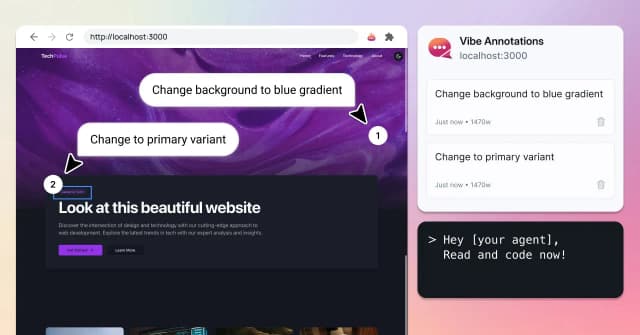
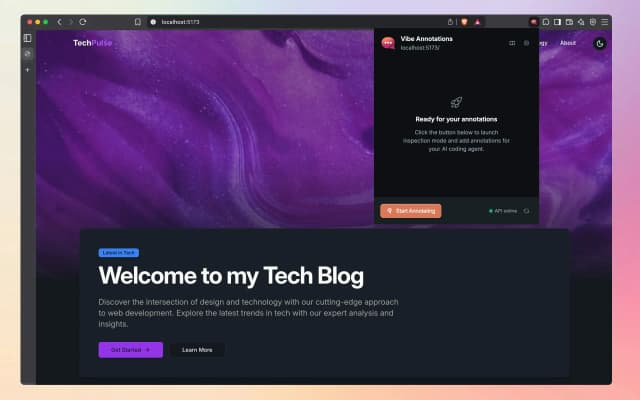
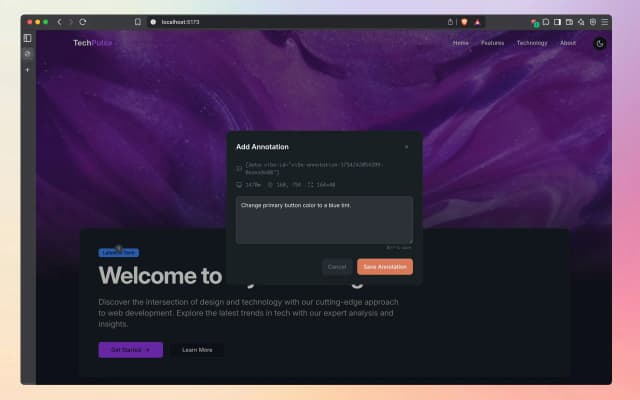
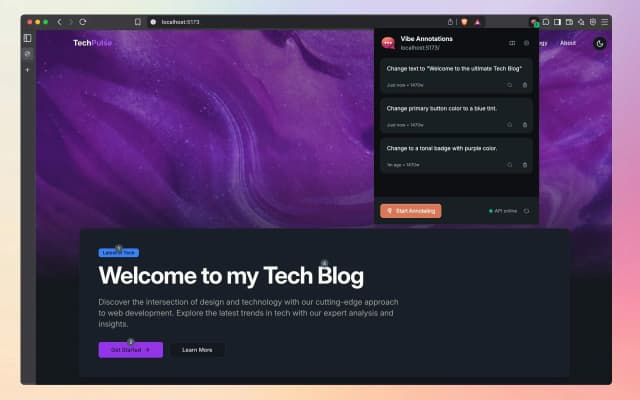
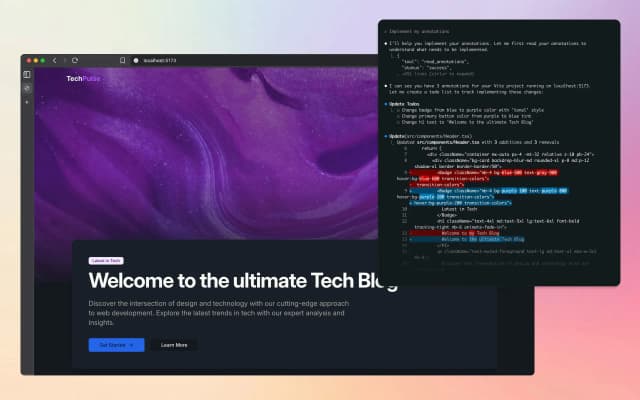
Vibe Annotations is a powerful browser extension designed to enhance the developer workflow by enabling the addition and organization of visual annotations directly on web applications. It integrates seamlessly with popular AI coding agents such as Claude Code, Cursor, Windsurf, and GitHub Copilot, allowing developers to provide contextual visual feedback while coding. This tool supports multi-page annotations and operates on a local-first architecture, ensuring privacy and zero configuration setup. By enabling precision element targeting, Vibe Annotations helps developers communicate UI feedback and automate coding tasks more efficiently. It is compatible with major browsers including Chrome, Edge, Brave, Opera, Vivaldi, and Arc, making it accessible for a wide range of users. Overall, Vibe Annotations streamlines the vibe-coding workflow, boosting productivity and collaboration through intuitive visual feedback mechanisms integrated with AI-powered coding automation.
Share your honest experience with Vibe Annotations
Website
www.vibe-annotations.comCategory
Chrome ExtensionsTags

Kromio.ai
Kromio.ai is an innovative AI-powered platform designed to simplify and accelerate the creation of Chrome extensions. It enables users to build professional-grade browser extensions instantly without any coding knowledge. Leveraging advanced artificial intelligence, Kromio.ai generates, revises, and customizes Chrome extensions through an intuitive interface, making extension development accessible to developers and non-developers alike. The platform offers a variety of professional templates and a revision system to ensure the final product meets user requirements. With instant download capabilities, users can quickly deploy their extensions, streamlining the entire development lifecycle. Kromio.ai is ideal for individuals and businesses looking to enhance browser functionality, automate workflows, or deliver unique user experiences via Chrome extensions. By removing technical barriers, Kromio.ai empowers users to innovate faster and more efficiently in the browser extension space.

KeepKit
KeepKit is a powerful Chrome extension designed to supercharge your Google Keep experience by adding a suite of productivity-enhancing features. It allows users to customize their notes with unique backgrounds, attach files seamlessly with Google Drive integration, and export notes in CSV format for easy data management. KeepKit also offers one-click note copying, checklist progress tracking, and smart indentation for lists, making note-taking more organized and efficient. The extension enhances user engagement with rewarding sound effects while maintaining a privacy-focused design, ensuring your data stays secure. With its intuitive interface and practical tools, KeepKit transforms Google Keep into a more versatile and productive workspace, ideal for users looking to optimize their note-taking and task management workflows.

Revise text browser extension
Revise text is a free AI-powered browser extension designed to enhance your writing effortlessly. It provides instant proofreading and grammar correction, helping users craft professional, clear, and engaging content across any website. With simple keyboard shortcuts and right-click menu options, users can quickly proofread or improve selected text or entire entries. The AI adapts to your writing style and the context of the webpage, offering personalized suggestions that improve tone, clarity, conciseness, and overall style. Ideal for content creators, professionals, students, and non-native speakers, Revise text seamlessly integrates into daily writing tasks without compromising privacy. The extension ensures user data safety by not storing or collecting personal information, with all processing done securely via OpenAI. Its free usage model includes a generous daily request limit, making advanced writing assistance accessible to everyone. Whether you are drafting emails, reports, essays, or social media posts, Revise text helps you communicate more effectively and confidently.

Clixy
Clixy is an AI-powered Chrome extension designed to enhance your YouTube experience by generating concise and intelligent video summaries with just one click. It allows users to quickly grasp the key points of any YouTube video without watching the entire content, saving valuable time. Beyond summarization, Clixy offers an interactive chat feature that lets users engage directly with the video content, asking questions and receiving instant AI-driven insights. Supporting over 12 languages and featuring timestamp navigation, Clixy integrates seamlessly into the Chrome browser, providing real-time processing for efficient and effective video comprehension. Whether for education, research, or casual viewing, Clixy transforms how users interact with video content by making information more accessible and easier to digest.

BlinkClip
BlinkClip is an innovative digital tool designed to help users effortlessly capture, organize, and retrieve important information, ensuring that nothing valuable is ever lost. With its intuitive interface and seamless integration, BlinkClip enables users to quickly save clips of text, images, links, and other digital content from various sources. The platform emphasizes ease of use and speed, making it ideal for professionals, students, and anyone who needs to keep track of critical data across multiple devices. By centralizing all saved content in one accessible location, BlinkClip enhances productivity and reduces the frustration of searching through scattered notes or files. Its tagline, 'Never lose it again,' reflects the core mission of providing a reliable and efficient solution for digital information management. Whether for research, project management, or everyday organization, BlinkClip empowers users to stay organized and focused on what matters most.

SaveAIChats
SaveAIChats is a cutting-edge platform designed to help users effortlessly capture, organize, and share their AI chat conversations. As AI-driven interactions become increasingly integral to productivity and creativity, SaveAIChats ensures that valuable insights and breakthroughs from these chats are never lost. The platform offers seamless integration with popular AI chat tools, enabling users to save conversations directly and categorize them for easy retrieval. With a user-friendly interface and robust organizational features, SaveAIChats empowers professionals, developers, and enthusiasts to maintain a comprehensive archive of their AI interactions. Whether for personal reference, collaboration, or knowledge sharing, SaveAIChats transforms transient AI chats into a lasting resource. Its cloud-based infrastructure guarantees secure storage and accessibility across devices, making it an essential tool for anyone leveraging AI in their workflows.