
LinkLeft
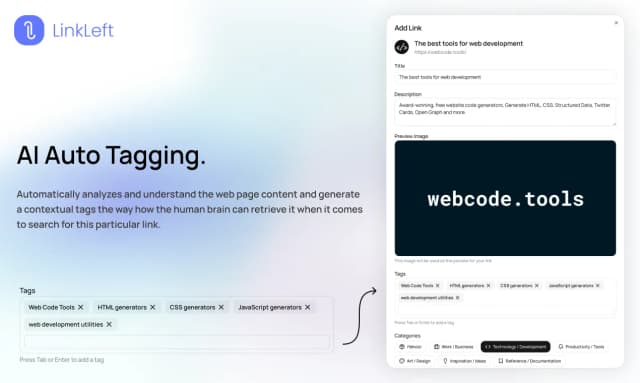
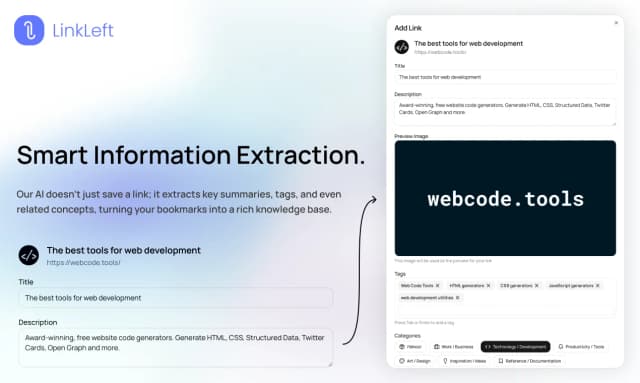
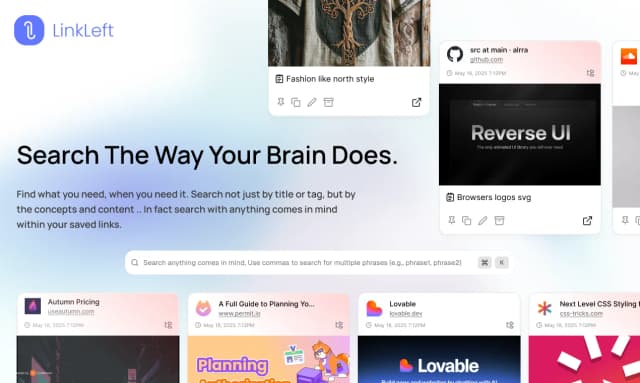
LinkLeft is an AI-powered bookmark manager designed to help users save, organize, and rediscover links effortlessly. Acting as a smart second brain, LinkLeft transforms your collection of bookmarks into a searchable, intelligent knowledge base accessible anytime and anywhere. It leverages artificial intelligence to categorize and surface relevant links quickly, enhancing productivity and information retrieval. Whether you are a professional managing research, a student gathering resources, or anyone who frequently saves web content, LinkLeft streamlines link management by automating organization and enabling easy access across devices. Its seamless integration with browsers and intuitive interface make it an indispensable tool for managing digital knowledge, reducing the clutter of traditional bookmarking, and ensuring important links are never lost. With LinkLeft, users gain a powerful assistant that not only stores links but also understands and connects them, boosting efficiency in personal and professional workflows.
Share your honest experience with LinkLeft
Website
www.linkleft.comCategory
Chrome ExtensionsTags



Clever Prompt AI
Clever Prompt AI is a sophisticated AI-powered assistant designed to optimize, manage, and reuse prompts and conversations across multiple AI platforms such as ChatGPT, Gemini, and Claude. It serves as a personal prompt assistant that enhances productivity by streamlining the creation and refinement of AI prompts, enabling users to maintain context and improve the quality of their AI interactions. By integrating seamlessly with various AI tools and websites, Clever Prompt AI helps users save time and effort in prompt engineering, making it easier to generate precise and effective AI outputs. Its capabilities include prompt optimization, context management, and prompt reuse, which are essential for professionals, developers, marketers, and creatives who rely heavily on AI-driven content generation and communication. The platform supports a wide range of AI applications including text generation, image prompt engineering, and video AI, making it a versatile tool for enhancing AI workflows and maximizing the value of AI technologies in everyday tasks.

MultiField CopyCat
MultiField CopyCat is a powerful browser extension designed to streamline the process of copying, pasting, and autofilling multiple web form fields simultaneously. By eliminating the need to manually retype repetitive information, it significantly reduces the time and effort required to complete online forms. Whether you are filling out job applications, conducting QA testing, migrating form data, or managing bulk inputs, MultiField CopyCat enables you to work smarter and faster. Its intuitive interface allows users to copy multiple fields from one form and paste them into another with ease, supporting a wide range of web forms across different websites. This extension is ideal for professionals and everyday users who frequently interact with online forms and seek to boost productivity by automating tedious data entry tasks. MultiField CopyCat enhances workflow efficiency, minimizes errors, and provides a seamless autofill experience directly within the Chrome browser.

AI ID
AI ID is a cutting-edge platform designed to seamlessly share your personal context across multiple AI systems including ChatGPT, Claude, Meta AI, Grok, DeepSeek, and more. By automatically integrating your unique data and preferences, AI ID ensures that every AI interaction feels personalized and informed, as if the AI has been working with you for years. This innovative solution eliminates the need to repeatedly provide background information, streamlining workflows and enhancing productivity. AI ID empowers users to maintain consistent context across diverse AI tools, boosting efficiency and enabling smarter, more relevant AI responses. Ideal for professionals and enthusiasts alike, AI ID bridges the gap between human knowledge and AI capabilities, making AI interactions more intuitive and context-aware.

BlinkClip
BlinkClip is an innovative digital tool designed to help users effortlessly capture, organize, and retrieve important information, ensuring that nothing valuable is ever lost. With its intuitive interface and seamless integration, BlinkClip enables users to quickly save clips of text, images, links, and other digital content from various sources. The platform emphasizes ease of use and speed, making it ideal for professionals, students, and anyone who needs to keep track of critical data across multiple devices. By centralizing all saved content in one accessible location, BlinkClip enhances productivity and reduces the frustration of searching through scattered notes or files. Its tagline, 'Never lose it again,' reflects the core mission of providing a reliable and efficient solution for digital information management. Whether for research, project management, or everyday organization, BlinkClip empowers users to stay organized and focused on what matters most.

Vibe Annotations
Vibe Annotations is a powerful browser extension designed to enhance the developer workflow by enabling the addition and organization of visual annotations directly on web applications. It integrates seamlessly with popular AI coding agents such as Claude Code, Cursor, Windsurf, and GitHub Copilot, allowing developers to provide contextual visual feedback while coding. This tool supports multi-page annotations and operates on a local-first architecture, ensuring privacy and zero configuration setup. By enabling precision element targeting, Vibe Annotations helps developers communicate UI feedback and automate coding tasks more efficiently. It is compatible with major browsers including Chrome, Edge, Brave, Opera, Vivaldi, and Arc, making it accessible for a wide range of users. Overall, Vibe Annotations streamlines the vibe-coding workflow, boosting productivity and collaboration through intuitive visual feedback mechanisms integrated with AI-powered coding automation.

Revise text browser extension
Revise text is a free AI-powered browser extension designed to enhance your writing effortlessly. It provides instant proofreading and grammar correction, helping users craft professional, clear, and engaging content across any website. With simple keyboard shortcuts and right-click menu options, users can quickly proofread or improve selected text or entire entries. The AI adapts to your writing style and the context of the webpage, offering personalized suggestions that improve tone, clarity, conciseness, and overall style. Ideal for content creators, professionals, students, and non-native speakers, Revise text seamlessly integrates into daily writing tasks without compromising privacy. The extension ensures user data safety by not storing or collecting personal information, with all processing done securely via OpenAI. Its free usage model includes a generous daily request limit, making advanced writing assistance accessible to everyone. Whether you are drafting emails, reports, essays, or social media posts, Revise text helps you communicate more effectively and confidently.